POS for restaurants
The restaurant POS system built for Lebanon
YellowPOS is a cloud restaurant POS that runs on the phone, tablet, or laptop you already own. It gives you a live table floor plan, kitchen tickets, a QR menu priced in USD and LBP, table reservations, and ingredient-level stock — and it keeps taking orders when the internet drops. Plans start at $15 a month, with a 30-day free trial.
30 days free · No card required · Runs on the devices you already have
What does a restaurant in Lebanon need from a POS?
Two currencies on every bill
Guests pay in dollars, lira, or a mix, and expect change in the other. Doing that maths by hand at a busy table is exactly where money goes missing.
Internet that drops mid-service
A POS that freezes when the connection goes is worse than a notepad. The lunch rush does not wait for the router to come back.
Menus that are out of date the day they are printed
Every price change means reprinting menus or crossing numbers out by hand, and guests still order the dish you ran out of an hour ago.
Food cost you only discover at month end
Without recipes linked to stock, you find out you are out of halloumi when a waiter asks, and learn your real margin from the supplier's invoice.
What YellowPOS gives a restaurant
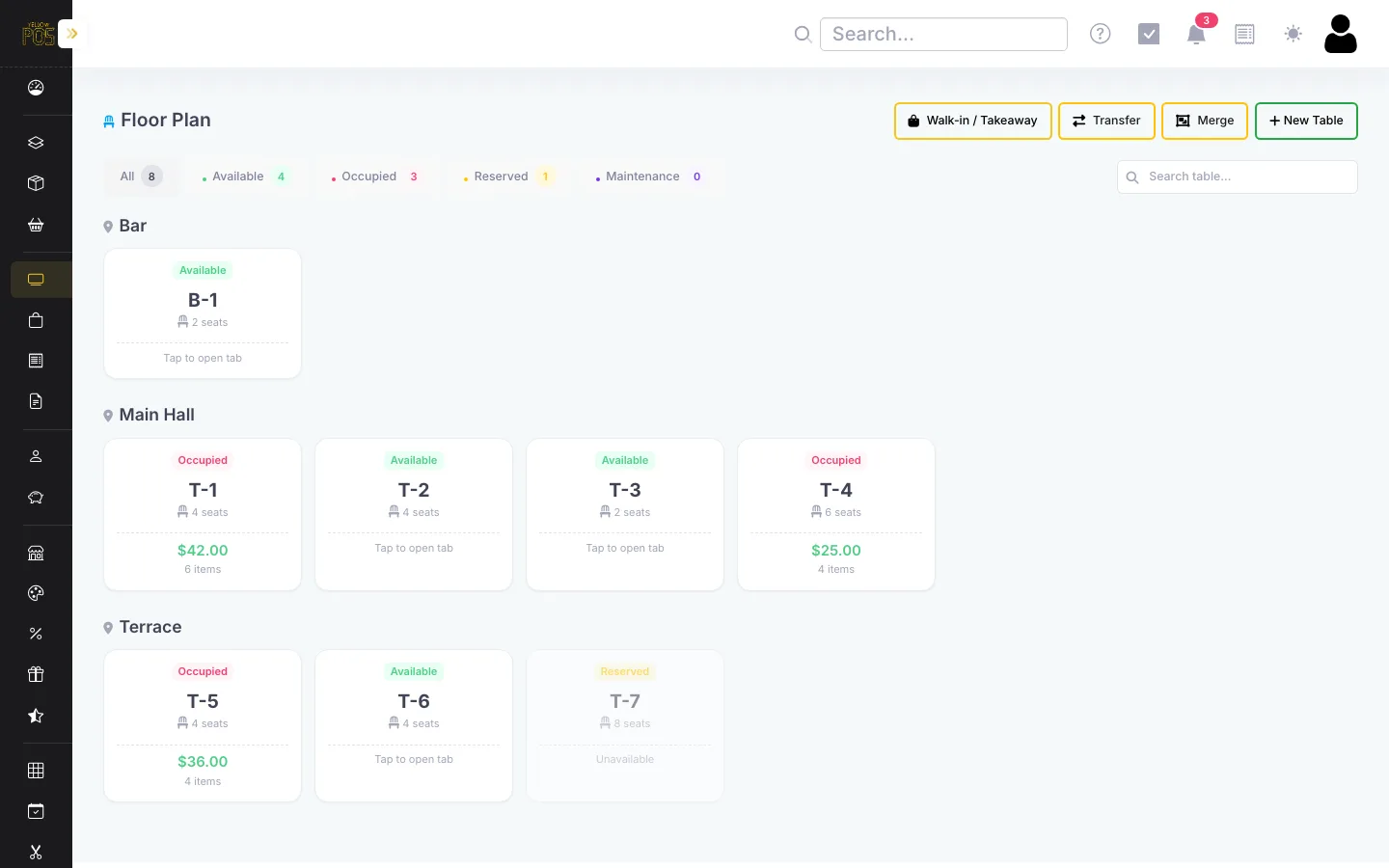
Live table floor plan
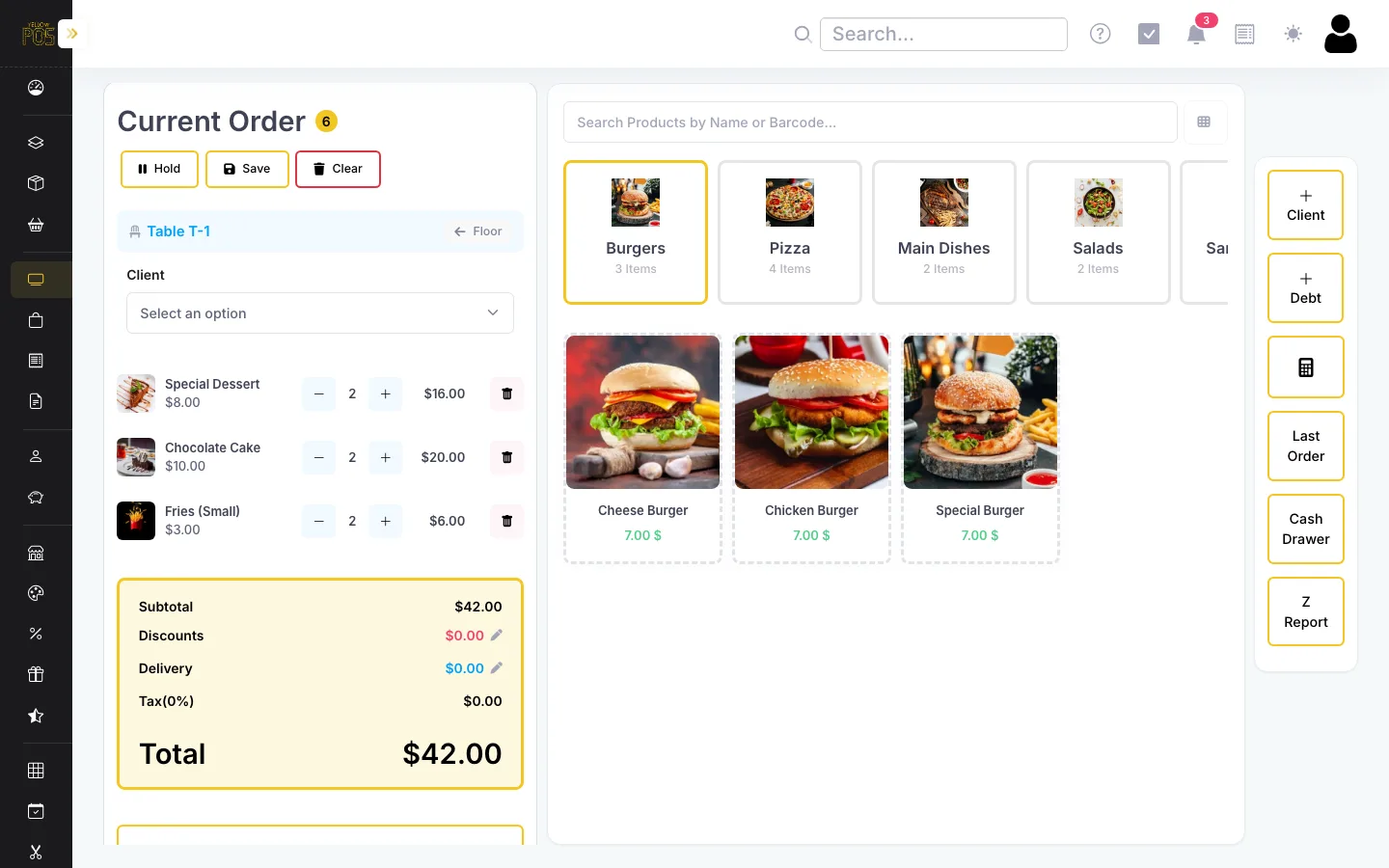
Every table is a card coloured by status. Open a tab, add rounds through the meal, transfer or merge tables, and print the bill when they ask for it.
How it works →Kitchen tickets and receipts
Firing a round prints a kitchen ticket; closing the table prints the customer receipt and opens the cash drawer. Any printer your browser can reach works.
How it works →Keeps working offline
Sales made with no connection are saved on the device and upload automatically when it returns. An Unsynced Orders view shows what is still waiting.
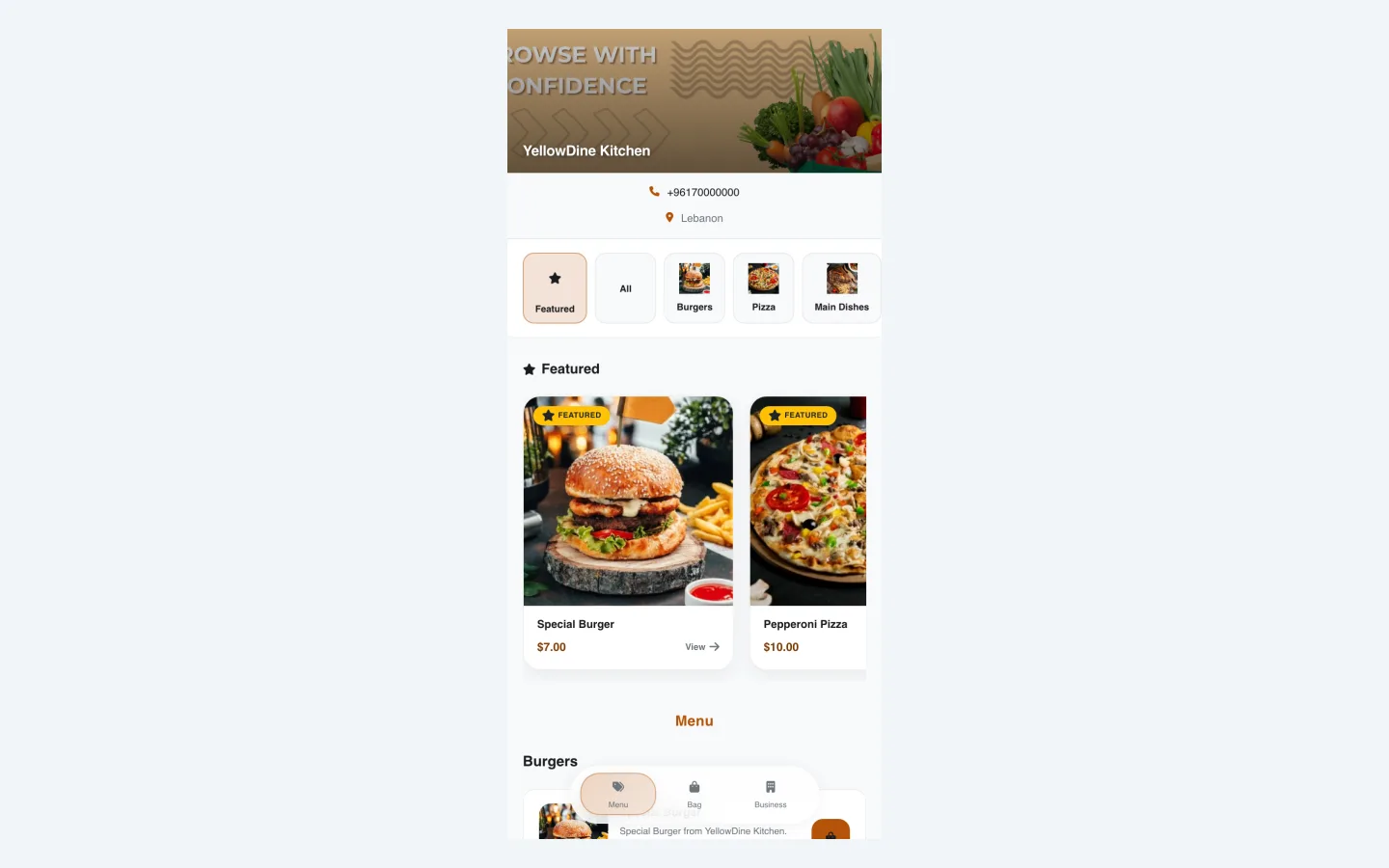
How it works →QR menu in USD and LBP
Guests scan a code at the table to see photos and prices in both currencies. Sold-out dishes hide automatically, and the menu can take delivery and pickup orders.
How it works →Table reservations
A public reservation page takes date, time, and party size. Confirming a reservation marks the table as reserved on the floor plan.
How it works →Ingredients and recipes
Link each dish to the ingredients it uses. Every sale deducts them from stock, so you see what is running low and what each plate really costs.
How it works →What it looks like
Is YellowPOS the right fit?
A good fit if…
- You run one restaurant, café-restaurant, or snack and want the POS, QR menu, reservations, and delivery orders in one subscription.
- Staff take orders on phones or tablets you already own rather than dedicated terminals.
- Internet and power cuts are a normal part of your week.
- You want food cost and stock tracked without a separate inventory system.
Look elsewhere if…
- You operate several branches and need consolidated, cross-branch reporting — YellowPOS runs one location per account today.
- You need a kitchen display screen routing orders to stations. YellowPOS prints kitchen tickets but has no KDS.
- You need guests to split a single bill item by item at the POS.
- Your orders arrive mostly through delivery apps and you need them pulled into the POS automatically.
How much does it cost?
Every feature on this page is included on every plan. Plans differ by the number of staff accounts and the level of training and support.
Startup
$15/month
1 user · 30-day free trial
Store
$25/month
5 users · training + 24/7 support
Corporate
$50/month
20 users · priority support
Extra users are $5/month each. No commission on sales, no hardware to buy.
Frequently asked questions
What is the best POS system for a restaurant in Lebanon?
For a single-site restaurant, the deciding factors are dual USD/LBP payment, working through internet cuts, and whether the QR menu, reservations, and online ordering come with the POS. YellowPOS covers all of those from $15 a month on devices you already own. A multi-branch group that needs kitchen display screens and franchise reporting is better served by a restaurant-only platform such as Foodics.
Does the restaurant POS work without internet?
Yes. Once the POS page has loaded, you can open tables, add rounds, take payment, and print receipts with no connection. Each sale is stored on the device and uploads automatically when the internet returns.
Can I print kitchen orders?
Yes. When you fire a round to a table, YellowPOS prints a kitchen ticket with the items and any note. The customer receipt prints separately when the table pays.
Do I need to buy POS hardware?
No. YellowPOS runs in a web browser on any phone, tablet, laptop, or desktop. If you already have a receipt printer, cash drawer, or barcode scanner, they work with it; none of them are required.
How does it handle payment in dollars and lira?
You set the exchange rate once. Every price then shows in USD and LBP on the POS and QR menu, and at checkout you can record payment in either currency with the change calculated for you.
How much does a restaurant POS cost with YellowPOS?
Plans are $15, $25, or $50 a month, with no commission on sales. Most restaurants with a few waiters choose Store at $25, which includes five staff accounts. Every plan starts with a 30-day free trial.
Related reading
Run your next service on YellowPOS — free for 30 days
Add a few products, run a test sale on your phone, and see whether it fits before paying anything.
Get started free